
A hreflang tag is a small piece of HTML that tells search engines which language, and sometimes which country, a given page was written for. Set it up correctly and international traffic sorts itself out, but if you get it wrong, even by one character, search engines tend to drop the whole group rather than half-apply it.
A hreflang tag generator helps you when you're running a site that has readers or clients from different countries, like a two-language blog site or a ten-country ecommerce store. The scale changes, but the underlying problem doesn't: search engines need explicit instructions, not guesses based on browser settings, and hreflang is the mechanism that gives them those instructions.
What a hreflang tag actually does
A hreflang tag is a small piece of HTML that tells search engines which language, and sometimes which country, a given page was written for. Run separate pages for English, French, and German readers, or separate storefronts for US and UK shoppers? Hreflang links all of it together so Google can hand each searcher the version built for them.
Why use a hreflang generator:
If you have three to four pages, writing make sense and takes a few minutes, but if you have different sites and their audience is from different regions, writing it won't make sense because you can't handle it accurately.
Five language versions mean five tags, repeated identically across all five pages, so twenty-five lines have to be correct for a single piece of content. Add a hundred pages and a couple more locales, and you're maintaining thousands of lines that all have to agree with each other, with no room for a typo anywhere in the chain.
A professional generator handles the full, reciprocal set automatically, including the self-reference every page needs, which Google's documentation treats as a requirement, not a suggestion. Everybody knows the simple fact that hand-editing invites mistakes nobody catches until later, but a tag generated by code designed by professionals has far fewer chances of mistakes or even no mistakes at all.
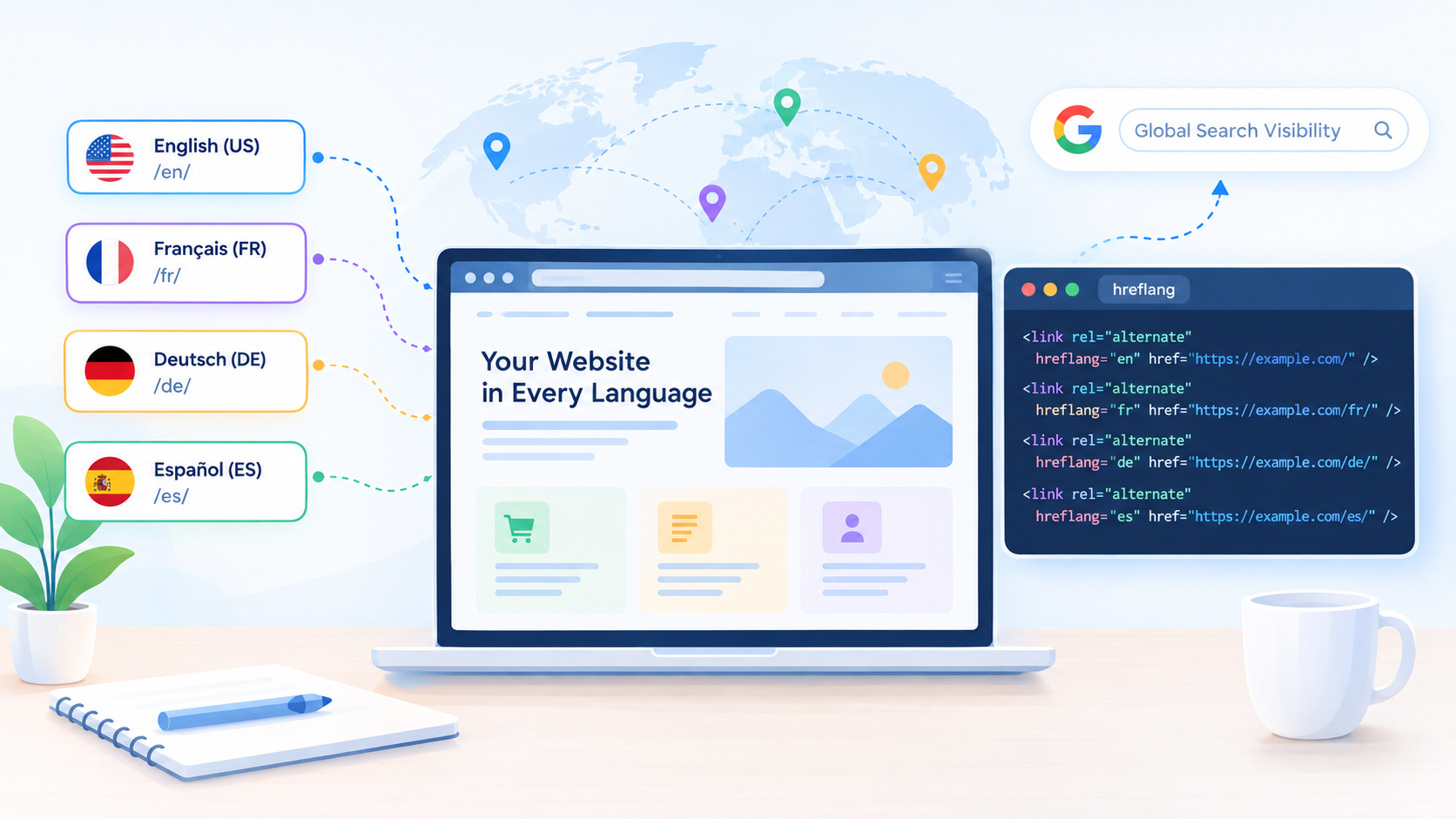
Meet Rext AI's free hreflang tag generator
The tool is designed to provide hreflang tags that tell search engines which page to show for each language and country. Add URLs, assign languages and regions, and it produces a validated, ready-to-paste set. At Rext AI, we have broader library of free SEO tools that helps you with technical SEO.
These tag generators are mostly used by agencies juggling hreflang across several client sites at once, ecommerce teams rolling out one new country at a time, and in-house SEOs who inherited a multilingual site with zero documentation on how the existing tags were built.
Using the generator: what happens at each step
None of these steps take long individually because the value shows up when you're repeating them across ten or twenty pages, and the tool is doing the reciprocal linking for you instead of you tracking it in a spreadsheet. Start by pasting in your page URLs, and make sure each one is complete, meaning it starts with https://. A relative or shortened URL is one of the more common reasons a hreflang setup looks fine in the code and fails anyway.
From there, assign the language code that matches each version: en for English, es for Spanish, and so on down the list. Then add each version's country code: the tool asks for one on every row. A French page for France gets fr-FR. One built specifically for Canada, with different pricing or shipping, gets fr-CA instead.
Want a fallback for visitors whose language or location doesn't match anything you've listed? Set an x-default URL, usually your homepage or a language picker. It's optional. Plenty of sites skip it and do fine, though it earns its place if you have an actual page you'd want catching that overflow traffic.
Once you generate the set, the tool checks it for the usual suspects: invalid codes, duplicate locales, a URL used twice, an incomplete address. Fix whatever it flags before you publish, not after. The output is HTML link tags, ready to paste into each page's <head>.
Last step, and the one people skip: copy the full set onto every single page in the group, including that page's link to itself. Not just the main language version. All of them.
A few examples, because code beats a description
Two languages, the simple case:
<link rel="alternate" hreflang="en" href="https://example.com/" />
<link rel="alternate" hreflang="es" href="https://example.com/es/" />
Same language, split by country:
<link rel="alternate" hreflang="en-US" href="https://example.com/us/" />
<link rel="alternate" hreflang="en-GB" href="https://example.com/uk/" />
Sit with that second one for a moment. Both pages are in English. Doesn't matter. If pricing, spelling, or product availability differ between your US and UK audiences, treating them as one page is how a shopper in Manchester ends up staring at a checkout priced in dollars.
Language and country combined:
<link rel="alternate" hreflang="fr-FR" href="https://example.com/fr-fr/" />
<link rel="alternate" hreflang="fr-CA" href="https://example.com/fr-ca/" />
A fallback for everyone else:
<link rel="alternate" hreflang="x-default" href="https://example.com/" />
Two pages or two hundred, the rule holds: every version gets listed, and every version links back to itself.
HTML, sitemap, or HTTP header: picking a delivery method
There are three ways to ship a hreflang tag, and choosing the wrong one for your site's size is how a setup that looked fine on day one turns into a mess six months later.
HTML tags in the <head> are the default most people reach for. Each page carries its own block listing itself and every alternate version. Easy to check with view-source, easy to reason about, and fine for a site with a modest number of pages per locale.
Sitemap entries move all of that out of individual pages and into one file. Instead of touching the <head> of fifty product pages every time a new market launches, you edit the sitemap once. Most large ecommerce sites end up here eventually.
HTTP headers exist for files that don't have an HTML <head> at all, mainly PDFs and other downloads that still need language targeting: the same information, delivered at the server response level instead of inside a document.
Repeated Errors and their fixing:
Error | What Happens | How to Fix It |
Missing self-reference | A page never lists its own URL among its alternates | Add the page's own URL to its own hreflang set |
No return tag | pointing back issue | Add the matching tag on the other page |
Bad language code | Search engines don't recognize the locale | Use a valid ISO 639-1 code |
Bad country code | Regional targeting fails without any visible warning | Use a valid ISO 3166-1 Alpha-2 code |
Relative URL | The link doesn't resolve the way you'd expect | Use the full, absolute URL every time |
No x-default | Visitors outside your listed locales get no fallback | Point an x-default entry at your main page |
Same locale, two URLs | Two pages claim the same language-region combination | Keep exactly one URL per locale |
Hreflang points to a non-canonical URL | The page sends mixed signals about what to index | Give every page a self-referencing canonical tag |
Only one page carries the tags | The rest of the group never reciprocates | Add the full set to every page in the cluster |
Notice how many of these errors share a trait: none of them break your site visibly. A page still loads, the layout still looks right, and nothing in a routine glance at Search Console screams that something's wrong. That's precisely what makes hreflang different from most technical SEO work. A broken canonical tag or a 404 shows up in a crawl report almost immediately. A hreflang mismatch sits there, quietly routing the wrong visitors to the wrong pages, until someone happens to check.
Generate your Hreflang Tag Now and let your international visitors see their desired page.
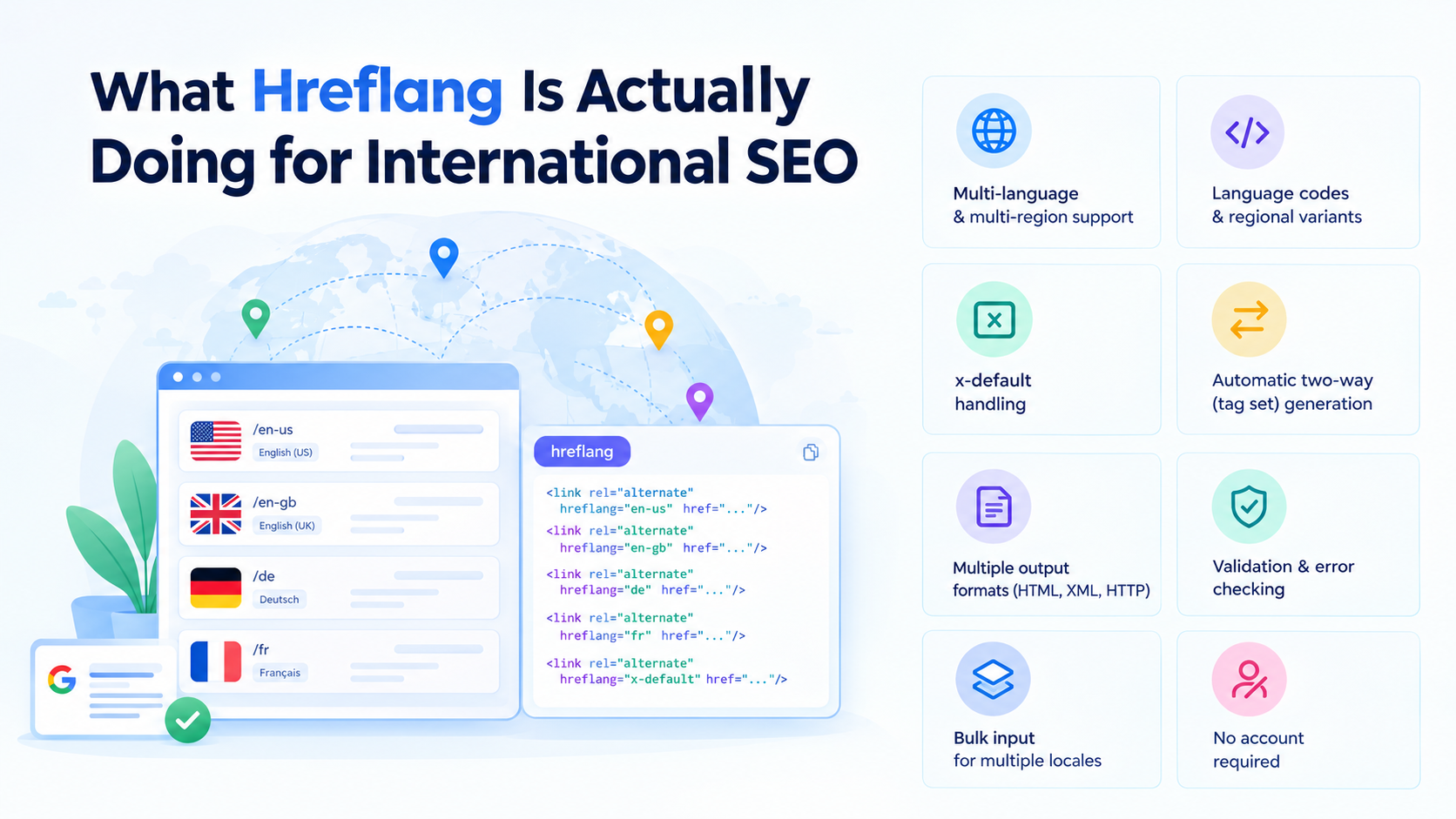
What hreflang is actually doing for international SEO
For a multilingual site, hreflang is the difference between Google guessing at browser settings and Google knowing, definitively, which page to serve. That covers the multilingual case.
The multi-regional case gets missed more often. A US and a UK page, both in English, can still need separate tags if spelling, currency, or product availability differ between them. Same language doesn't automatically mean the same audience, and treating it that way is an easy way to lose conversions you'd never trace back to the cause.
Ecommerce sites have the clearest stake in getting this right, since country pages usually differ on currency, shipping terms, and sometimes what's even available to buy. A shopper in Germany should land on the euro-priced page with German shipping details, not a US cart that can't process their order at all.
It's also a different job from a canonical tag, and mixing the two up causes real problems. Canonical says: index this one instead of the near-duplicate. Hreflang says: these pages aren't duplicates; they're built for different people. Confuse the two, and you can send Google contradictory instructions without ever realizing it.
And here's something a lot of guides skip past: hreflang doesn't push pages up the rankings. Google has said this directly. Its whole job is deciding which of your already-ranking pages gets shown to whom. If an international page isn't performing, the fix is the content and on-page work, not the hreflang tag sitting quietly in the code.
What You Get With the Generator
Here's what the tool actually covers:
- Build tags for several localized pages in one sitting instead of switching tabs for each language.
- Language and country combinations (de-AT) are supported, with a country code on every row.
- x-default handling is built in rather than something you bolt on separately.
- The reciprocal, two-way set gets generated automatically, each version itself included, so the same block goes into every page in the group.
- Output comes as HTML link tags, ready to paste into the <head>.
- Validation flags invalid codes, duplicate locales, a URL used twice and incomplete addresses before anything goes live.
- Add up to 50 language versions, one row each.
- No account is required to generate or copy your tags.
Pair this with a few other free tools
Hreflang doesn't operate alone; it just sits next to a handful of other tags that all need to agree with each other, or you end up undoing your own work without meaning to.
Start with the Canonical Tag Generator so every localized page has a self-referencing canonical and can't quietly contradict your hreflang setup. Managing hreflang through your sitemap instead? The XML Sitemap Generator handles the file itself. The Robots.txt Generator is a good idea to check too, since it's more common than you'd think to find an entire language folder accidentally blocked from crawling.
All of it lives in Rext AI's free tools section, and none of it sits behind a paywall.
Questions people keep asking about hreflang
I set up hreflang, and Google still shows the wrong page. What's going on?
This is the most common complaint on SEO forums, and reciprocity is always the reason. Page A pointing to Page B means nothing if Page B doesn't point back with a matching tag; Google treats that as unconfirmed and tends to ignore it. Run your existing tags back through a generator and compare the output against what's actually live on each page. The mismatch usually surfaces right away.
How is this different from a canonical tag, and can the two conflict?
Canonical says index this URL instead of a near-duplicate. Hreflang says these pages are different on purpose, built for different audiences. The two can clash. If your hreflang tag points somewhere that isn't declared canonical, you're telling Google two contradictory things at once, and it may just drop the alternate version entirely. The fix is simple: every page in the hreflang group needs its own self-referencing canonical tag.
Is "en-UK" a valid code?
No, and it's an easy mistake because it reads correctly at a glance. The actual country code for the United Kingdom is GB, so the valid value is en-GB. Getting this wrong usually gets that one tag ignored rather than breaking the whole group, but there's no reason to leave it broken once you know.
What does x-default actually do, and should I bother setting one up?
It's the page shown to visitors whose language or location doesn't match anything you've explicitly listed. It's optional, not required. Many sites skip it, which says more about how often it gets overlooked than how necessary it actually is. If you have an obvious fallback page in mind, a language selector or a global homepage, the extra line pays for itself.
How do I actually add this in WordPress or Shopify?
Neither platform handles it natively. On WordPress, a plugin like WPML, Polylang, or TranslatePress will manage the tags automatically once your translated pages are linked, self-reference included. Polylang specifically doesn't always switch on x-default by default, so check under Languages > Settings > Hreflang if it seems to be missing. On Shopify, this usually runs through your markets or localization settings, and a lot of the duplicate-hreflang complaints people post about trace back to mismatched subdomains or wrong language codes set during an international market rollout.
Can hreflang live in my sitemap instead of on every page?
Yes, and for a larger site it's usually the better call. You're not editing the <head> of every page each time a locale changes or a new market gets added.
Does this work across subdomains, subdirectories, or separate country domains?
Yes, all three. fr.example.com, example.com/fr/, example.fr — the structure doesn't matter to hreflang. What matters is that every URL is correct, absolute, and pointing at every other version properly.
In Rext AI Hreflang tag generator
About the Author

Sajad Hussain
Sajad spent seven years in customer success at a project management SaaS company before moving into writing. That frontline experience taught him what people actually care about, which now shapes everything he writes for Rext AI. Sajad focuses on building readers’ trust through blog writing focused on readers’ issues. He has a talent for turning technical product details into stories people remember.