
What is a Question Generator?
A question generator reads a piece of writing and works out what a reader would want to ask about it. You give it an article, a landing page, a transcript, or a set of notes; it gives you back a list of questions grounded in what's actually on the page.
That sounds simple, but its usefulness comes from a blind spot that affects every writer: once you understand something, you can no longer remember what it felt like not to understand it. You skip the step that confused you three years ago because it stopped being confusing. Your reader is still standing at that step. A question generator surfaces exactly those gaps, because it's reading your words without the context living in your head.
Rext AI question generator produces double duty as it tells you where your draft is thin, and they give you the raw material for the question-and-answer sections that compete for those SERP features.
How to Use the Question Generator
1. Paste a meaningful chunk of text
Three or four paragraphs is the minimum for useful results, because a single sentence gives the tool nothing to work with. A full 2,000-word article works well and tends to produce the most varied question set.
2. Give it prose, not fragments
Bullet lists and headings on their own produce thin questions; if your content is mostly structured notes, write the notes out as sentences first. The difference in output quality is noticeable.
3. Generate and read the whole list
Read every question first, because the pattern across the list often tells you more than any single question does. Four questions circling the same missing explanation means your draft has a real hole in it, not a minor one.
4. Sort them into three piles
Questions your content already answers go into the FAQ section. Questions it half-answers go back into the draft as new paragraphs. Questions it doesn't touch go onto your content calendar as future posts.
5. Rewrite them the way your readers talk
Generated questions are grammatically tidy, which isn't always how people search. "What is the recommended frequency for resealing a driveway?" becomes "How often should I reseal my driveway?" The second one matches real search behaviour far better.
6. Add the answers before you add the schema
FAQ markup with thin or evasive answers does nothing for you and can hurt trust. Write a genuine two-to-four sentence answer for each question first, then generate the schema.
7. Run it again after you revise
Once you've filled the gaps, paste the updated draft back in. A shorter, less urgent list of questions the second time round is a good sign your revision worked.
Question Generator Examples
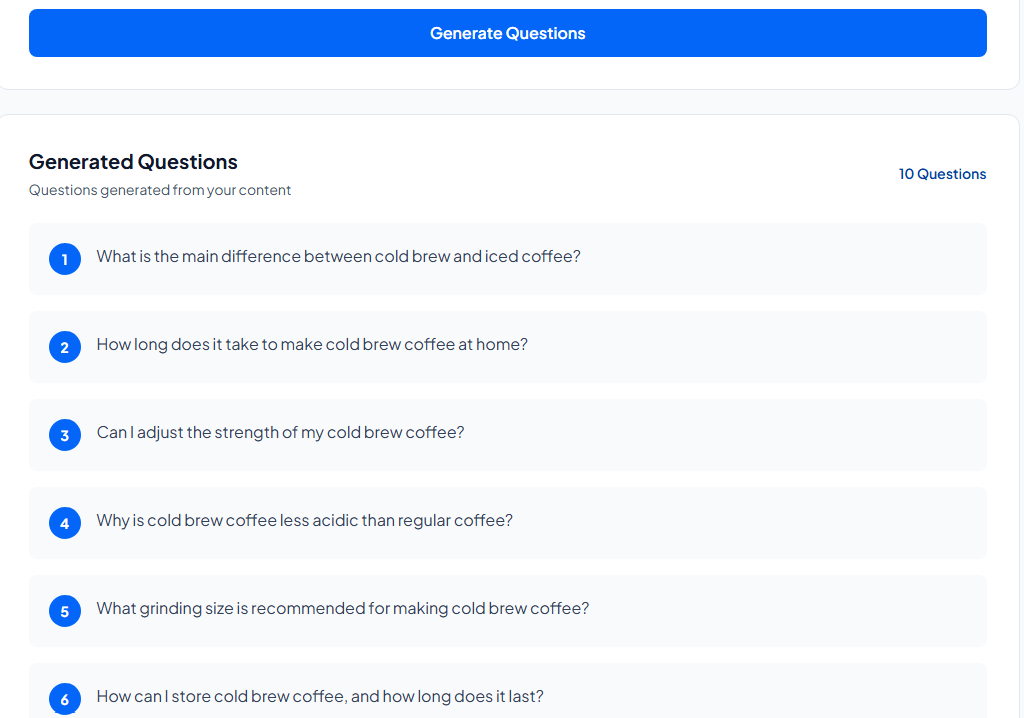
Example:
Blog post on cold brew coffee
Key Features and Capabilities
Reads for meaning, not keywords: Questions come from what your content actually says, not from pattern-matching on phrases.
Rext AI Question generator handles long input: Full-length articles are fine, but you don't need to feed it in chunks.
No length minimum enforced: Short text still works; it just produces fewer questions. The tool won't block you.
Completely free: no sign-up, no limits, no card.