
Here's a pattern I run into constantly when auditing sites: a page that used to sit comfortably in the top five slides down to position nine, and nobody can figure out why, no manual action. No algorithm update anyone's talking about, no broken backlinks. The content is fine, arguably better than it was a year ago. So what happened?
A newer article, a service page, sometimes even the homepage, has started competing for the same search term; that’s keyword cannibalization, and it's sneaky precisely because it doesn't look like a problem, but actually it is.
This guide covers what's actually going on when pages start eating each other's traffic, how to catch it before it costs you real rankings, how to fix it without torching pages you've spent months building, and, maybe more importantly, how to stop doing it to yourself going forward. None of it requires guesswork once you know what you're looking for, which is really the point of everything below.
Table of Contents:
- Are Your Pages Competing Against Each Other? A Guide to Keyword Cannibalization
- What Keyword Cannibalization Actually Means
- Red Flags Worth Watching For
- How This Actually Happens
- Before You Publish Another Article, Check What You Already Have
- Does Every Keyword Overlap Count as Cannibalization?
- Finding Cannibalization on Your Own Site
- A Faster Way to Plan Your Keyword Map
- Fixing It Without Losing What You've Already Built
- Rext AI is the Right fix for your every content-related problem:
- A Few Situations That Deserve Their Own Approach
- How Long Before You Know a Fix Worked
- FAQ'S
What Keyword Cannibalization Actually Means
In simple words, we say one or more pages on your own site are trying to answer the same question for the same person, so search engines can't decide which one deserves to rank. Instead of reinforcing each other, they split the vote.
Say you've got a post called "Best SAAS solution for CRM" from two years back, and last month someone on your team published "Best SaaS CRM Platform in 2026." Different title, same searcher, same intent. Google has to choose one; whichever it picks, the other page is still sitting there, still pulling in a share of backlinks and internal links that would've been better spent reinforcing a single, stronger page.
You're not competing with some other site here. You're competing with yourself, and somehow still losing.
Red Flags Worth Watching For
Before chasing a fix, it's worth knowing what this actually looks like once you go digging through the data.
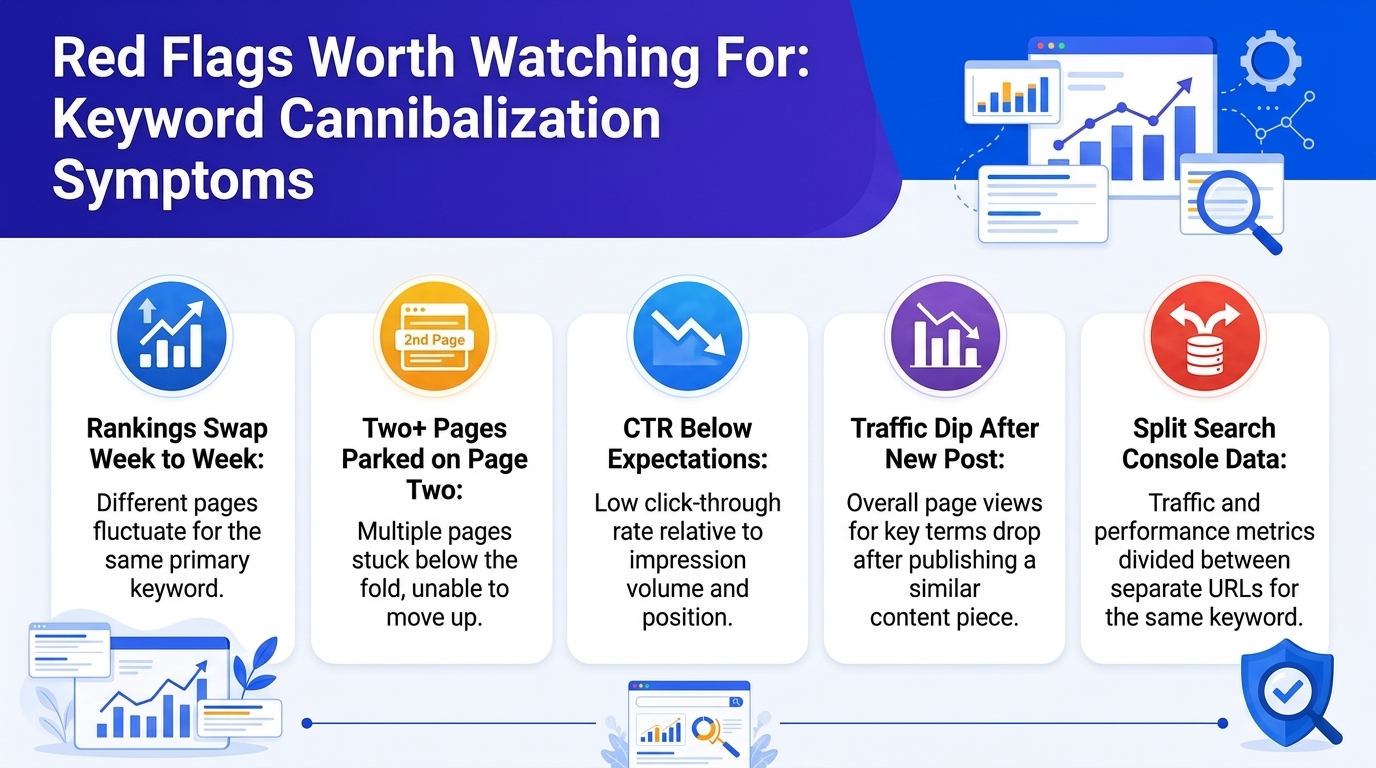
- Two of your own URLs keep swapping positions for the same query. Page A ranks this week, Page B next week, then back to A. That back-and-forth alone is close to a smoking gun.
- Search Console shows impressions and clicks split fairly evenly across two or three of your pages for one term, with none of them pulling ahead.
- A page's rankings dip shortly after you publish or refresh something else on a related topic.
- Multiple pages sit stubbornly around positions 11 to 20 instead of one page owning a top-ten spot outright.
- CTR that's lower than your position would normally predict. Often a sign the wrong page is showing up for what people actually meant to find.
Symptom | Usually Means | Where You'll See It |
Rankings swap week to week | Google can't settle on a winner | GSC Performance, filtered by query |
Two+ pages parked on page two | Authority split instead of concentrated | Rank tracker, or a manual site: search |
CTR below what position predicts | Wrong page is showing for the intent | GSC's CTR column, compared page to page |
Traffic dip right after a new post | New content is stepping on an older page's territory | Before/after comparison in GSC or analytics |
How This Actually Happens
Nobody plans to compete with their own content. It builds up slowly, usually from choices that made sense on their own at the time they were made. Some of the usual suspects: a team grows, and a new writer covers a topic that already has a post from two years earlier, because nobody checked first.
A page gets relaunched at a new URL, and the old one never gets redirected, so both stay live, and both stay indexed. A blog post and a category or service page end up chasing the same commercial phrase because they were planned separately, by different people, months apart.
Somebody optimizes the homepage for every keyword that matters "just to be safe," which sounds harmless until it starts outranking the pages actually built to convert. Ecommerce sites end up with filtered URLs, sorted by size, color, or price, that get indexed and start competing with the category page they came from.
Before You Publish Another Article, Check What You Already Have
Keyword cannibalization is often easier to prevent than to repair. Before creating another article around a promising keyword, take a few minutes to check what your site already covers, what search intent those pages target, and whether the new topic actually deserves its own URL.
That's where a structured SEO workflow can save a lot of cleanup later. Rext AI brings keyword research and content planning into the same workflow, helping you uncover keyword opportunities, understand search intent, group related terms into clusters, and plan content around topics rather than isolated keywords.
If you're publishing regularly, this matters even more because a quick check before writing can prevent you from spending hours producing an article that ends up competing with one you already have.
Does Every Keyword Overlap Count as Cannibalization?
No, and this is where a lot of advice on the topic gets a little too simplistic.
Two pages can rank for the same broad phrase without competing, as long as they answer different questions. "What Is Project Management Software?" and "Best Project Management Software for Small Teams" might both show up for "project management software." One explains a concept; the other helps someone compare options before they buy. That's not cannibalization.
Finding Cannibalization on Your Own Site
You can't fix what you haven't actually confirmed. Here's how people typically go about tracking it down.
Google Search Console, first
It's free, it's already sitting there connected to your site, and for most people it's the quickest way to catch this early. Open Performance, pull up the Search Results report, filter by whatever query you're suspicious about, then click into the Pages tab underneath it. More than one URL pulling meaningful impressions or clicks for that same term? You've probably found a pair worth digging into.
A plain Google site search
Type site:yourdomain.com "your keyword" straight into the search bar and see what comes back. It surfaces every page Google currently associates with that phrase on your domain. Won't scale past a handful of keywords at a time, but it's free and fast, which makes it a decent gut-check on your most important terms.
A keyword mapping spreadsheet
Three columns: URL, target keyword, intent. Fill it in page by page and duplicates tend to jump out on their own, usually faster than you'd expect. It's slower to build than the other methods here, but it pays for itself the next time you're planning content, because you'll already have the map sitting there.
One of the SEO platforms
Once a site's too big for manual checks to be realistic, a paid tool earns its keep fast. Semrush has a Cannibalization Report built right into Position Tracking. Ahrefs' Organic Keywords report has a "multiple URLs" filter made for exactly this. Moz's ranking data does something similar, just with its own spin on how it's presented.
Screaming Frog, for the technical layer
Crawl the whole site, and it'll flag pages with near-identical H1s, titles, or meta descriptions, often an early warning sign that shows up before the rankings themselves start slipping.
Method | Best For | Cost |
Google Search Console | Any size site, ongoing checks | Free |
Site: search | Quick manual spot checks | Free |
Keyword mapping sheet | Small-to-mid sites, planning ahead | Free |
Ahrefs / Semrush / Moz | Larger sites, recurring audits | Paid |
Screaming Frog | Technical crawls, metadata overlap | Free tier available |
Not ready for a full workflow? Start with Rext AI's free SEO tools for your content workflow.
A Faster Way to Plan Your Keyword Map
A keyword map is useful because it gives every URL a clear purpose. But building one from scratch becomes harder as your site grows.
If you're researching new topics at the same time, Rext AI can help you move from keyword discovery to content planning without jumping between multiple tools and provide you with different topic ideas covering the same keyword. Its keyword research system provides search volume, keyword difficulty, intent classification, related keyword groups, long-tail opportunities, and diversified topics.
That makes it useful not only for finding keywords, but for deciding which keywords deserve their own page in the first place, one of the simplest ways to reduce accidental keyword cannibalization before it becomes an SEO problem.
Fixing It Without Losing What You've Already Built
Once you've confirmed two pages are really fighting each other, don't just delete the weaker one and call it done. That's the fastest way to throw away rankings and backlinks you didn't have to lose.
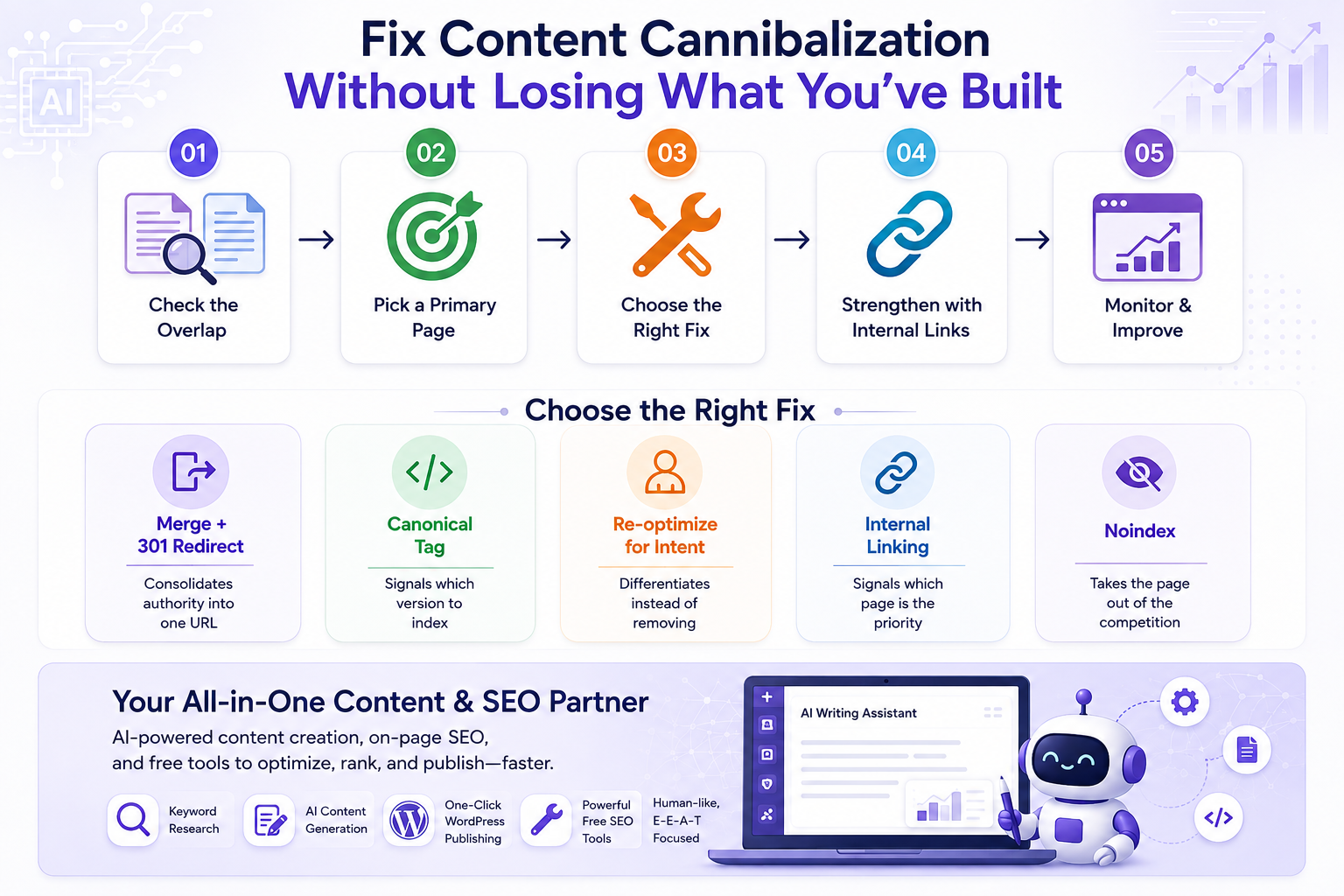
Step one: make sure the overlap is real. Read both pages side by side. Not just the keyword, the actual intent. Would someone searching this term be equally happy landing on either page?
Step two: pick a primary page. Usually the one with more backlinks, a better ranking history, or higher conversion value. This becomes the page everything else gets pointed toward.
Step three: choose the right fix.
Merging and redirecting works best when both pages say essentially the same thing. Pull the strongest material from both into your primary page, then 301 redirect the weaker URL so the link equity doesn't just evaporate.
A canonical tag makes more sense when you need both URLs to stay live, filtered product pages, near-duplicate pages, or other URL variations where you want search engines to understand which version should take priority. It signals your preferred URL and helps consolidate SEO signals without removing the other page from existence.
If you're not comfortable writing canonical tags manually, Rext AI's free Canonical Tag Generator can create the tag for you in seconds. Simply enter your preferred URL, generate the tag, and add it to the <head> section of your page.
Re-optimizing for a different intent is the move when both pages deserve to exist but are currently too similar to each other. Push one toward a different stage of the buyer's journey, or a clearly different angle on the topic, so they stop stepping on each other.
Noindex is the last resort, reserved for pages that need to exist for users- a thank-you page, a landing page built for one specific ad campaign- but have no business competing in organic search at all.
Fix | Best For | What It Does |
Merge + 301 redirect | Duplicate or outdated content you don't need separately | Consolidates authority into one URL |
Canonical tag | Pages you need to keep live (filters, locations, campaigns) | Signals which version to index |
Re-optimize for intent | Pages serving different readers | Differentiates instead of removing |
Internal linking | Any cannibalization case, as reinforcement | Signals which page is the priority |
Noindex | Pages needed by users, not by search | Takes the page out of the competition entirely |
One thing worth avoiding: stripping keywords out of the weaker page and hoping that automatically hands the win to the other one. It rarely works that cleanly. You can't quietly de-optimize a page for one term without weakening everything else it currently ranks for. If a page needs to step back, give it a different job to do instead.
Rext AI is the Right fix for your every content-related problem:
Rext AI solves all your content issues by providing you with the best human-like and E-E-A-T-focused content with on-page SEO and other technical SEO tools that help you to rank and optimize your content.
Rext workflow starts from keyword research and ends on a fully optimized article, and if you have a WordPress site, our platform integrates with it and provides you with a one-click publishing option.
After generating Content need quick technical SEO fixes? Explore Rext AI's free tools and handle common optimization tasks without adding another complicated tool to your workflow.
Rext AI also offers free tools for generating robots.txt files, XML sitemaps, hreflang tags, schema markup, SERP previews, title tags, and meta descriptions, along with content and keyword-focused tools.
A Few Situations That Deserve Their Own Approach
When the homepage is the problem
Homepages rack up more backlinks than almost any other page on a site, mostly because that's where outside links point by default. That accumulated weight can pull search engines toward the homepage over a more relevant service or product page, even when the service page is clearly the better answer for that specific search.
If this is happening to you, the instinct to optimize the homepage even harder for that term is exactly the wrong move. Strengthen the service page instead, its content, and the internal links pointing at it, then be patient. Search engines do tend to correct course once the signal is clear and consistent, though it can take longer than people expect, sometimes a full month or two before the shift shows up in rankings.
When it's a local or multi-location setup
Businesses running several location pages off one template run into this constantly. If every city page reads almost identically with the name swapped out, there's not much for search engines to actually differentiate. Hence, the homepage or one flagship location ends up soaking up rankings that should be distributed across all of them.
The fix isn't complicated, just tedious: real local detail per page, area-specific notes, testimonials where you've got them, and internal links that treat each location as its own thing rather than a copy-paste job.
When it's ecommerce filters and pagination
Color filters, size filters, page two of a category listing. These get indexed more often than people expect, and they start competing with the main category page they were spun off from, often without anyone noticing until organic traffic to that category looks a little off. A canonical tag pointing back to the main page is usually the cleanest way to handle it, since the filtered versions need to exist for shoppers but were never meant to be separate search destinations.
Keeping It From Happening Again
Cleaning up existing cannibalization is a one-time job. Keeping new cannibalization from creeping back in is a habit, and honestly, it's the part that matters more over time.
A few things actually help: keep a living keyword map, give every URL one primary topic and a clear search intent, and check new content ideas against what already exists before anything gets published. Build around topic clusters instead of scattering standalone posts that eventually overlap. Tag pages by intent: informational, commercial, navigational, or transactional so it's easier to spot when a new idea is covering ground you already own.
It also helps to make the SEO checks part of the writing process rather than something you do after publication.
Rext AI brings keyword research, content generation, E-E-A-T optimization, and on-page SEO into one workflow for solving your content-related issues. You can research keyword opportunities and search intent, generate content around the chosen topic, and check important on-page elements such as headings, internal linking, alt text, schema, and metadata before publishing.
Rext AI also offers a collection of free SEO tools, including a Keyword Density Checker, Canonical Tag Generator, Content Outline Generator, Headline Analyzer, Meta Description Generator, Readability Checker, etc.
If you're trying to build a content workflow that prevents SEO problems instead of cleaning them up afterward, explore Rext AI and its free SEO tools.
Explore Free SEO Tools powered by Rext AI.
Most sites don't need enterprise-grade software to stay on top of it. They need a repeatable process that gets applied before publishing, not after rankings have already started to wobble.
How Long Before You Know a Fix Worked
Don't judge a fix too early. Merges and redirects usually need two to six weeks to fully settle, since search engines have to recrawl, process the change, and shift ranking signals over to whichever page you've consolidated everything into. Canonical tags and internal linking updates move on a similar timeline, sometimes a touch faster.
Write down a baseline before touching anything: current position, impressions, clicks, and CTR for the query in question. Compare against that once real time has passed, not against a feeling, and not after four days.
Frequently Asked Questions
What's the quickest way to confirm two pages are actually cannibalizing each other, not just loosely related?
Search Console first. Filter by the query, open the Pages tab, and see whether two or more URLs are both pulling real impressions or clicks with neither one clearly ahead. If so, that's a strong signal. From there, read both pages side by side and ask whether they're answering the same question in the same way. That's usually the fastest gut-check once you already suspect something's off.
Is it automatically a problem if my homepage and a service page rank for the same term? Not automatically, but if the homepage keeps winning over a page that was specifically built to convert that search, it's probably costing you conversions even when overall traffic looks perfectly healthy. The fix rarely involves optimizing the homepage further. It's usually about strengthening the service page and the links pointing to it, then giving it time.
Does this work differently for local or multi-location pages than for regular blog posts?
The mechanics are the same underneath, but the cause is usually different. Local cannibalization tends to come from templated pages that are too similar to each other, rather than from two unrelated articles that happen to cover the same ground. The fix leans harder on real differentiation, unique local content, and distinct internal linking than on straightforward merging.
Should a cannibalized page ever just get deleted or noindexed instead of merged?
Deleting outright usually throws away backlinks and rankings you didn't have to lose, so it's rarely the first move. Noindex fits pages that need to exist for users, campaign landing pages, and near-duplicate location pages, but have no business competing in search. Everything else is usually better served by merging and redirecting.
How long should I wait before checking whether a fix worked?
At least two to six weeks. Search engines need that time to recrawl, process the redirect or canonical tag, and shift signals over to the page you picked as primary. Check too early, and you'll just be looking at data that hasn't settled yet, which tends to push people into making a second change before the first one's had a fair shot.
About the Author
Sania Usman
Sania is a technical writer at Rext AI with five years of experience in writing for SaaS products and technical writing. She joined Rext AI to make technical content clear without oversimplifying it. Sania specializes in topic clusters, on-page optimization, SAAS articles, and content that answers the questions people are actually searching for.