
WHAT IS A WORD COUNTER?
A word counter breaks a piece of text down into countable parts: words, characters with and without spaces, sentences, paragraphs, and an estimate of how long it takes to read. You paste, and the numbers appear. That's the simple description, but the reason people keep one open in a browser tab is a bit more practical.
Almost every piece of writing you do has a number attached to it, and the number usually lives somewhere else. Your title tag has about 60 characters before Google trims it. Your meta description has around 160. An image alt attribute should stay near 125 so screen readers handle it cleanly, and a client brief says 1,500 words. A university submission says 2,000 with a 10% margin. A grant application says 500 and means it.
Most editors will give you a word count; very few give you characters without spaces, sentence count, or a reading time, and almost none update them while you're mid-sentence, which is when the information is actually useful.
The sensible way to use a word count is as a reference point. Look at what's ranking for your keyword. If the top five results all run 2,000 to 2,500 words, that's a signal about the depth searchers expect, not a target to hit and stop at.
HOW TO USE THE WORD COUNTER
Step 1 — Paste your text in Rext AI Word counter: From anywhere like Google Docs, Word, a CMS editor, Notion, an email draft.
Step 2 — Read the counters appeared in screen: All six points update instantly. Length, words, characters without spaces for hard limits, sentences and paragraphs for structure.
Step 3 — Check reading time against the format: A nine-minute read is reasonable for a detailed guide. It's far too long for a product description and roughly double what most newsletter audiences will sit through. Match the estimate to where the piece is going.
Step 4 — Trim with intent. Over your limit? Cut adverbs, hedging phrases, and any sentence that restates the one before it. Those three passes usually recover 10% without losing a single idea.
Step 5 — Copy the stats if someone needs them. Useful for client reports, editorial handovers, and submission forms that ask you to declare a word count.
WORD COUNTER EXAMPLES
Checking length:
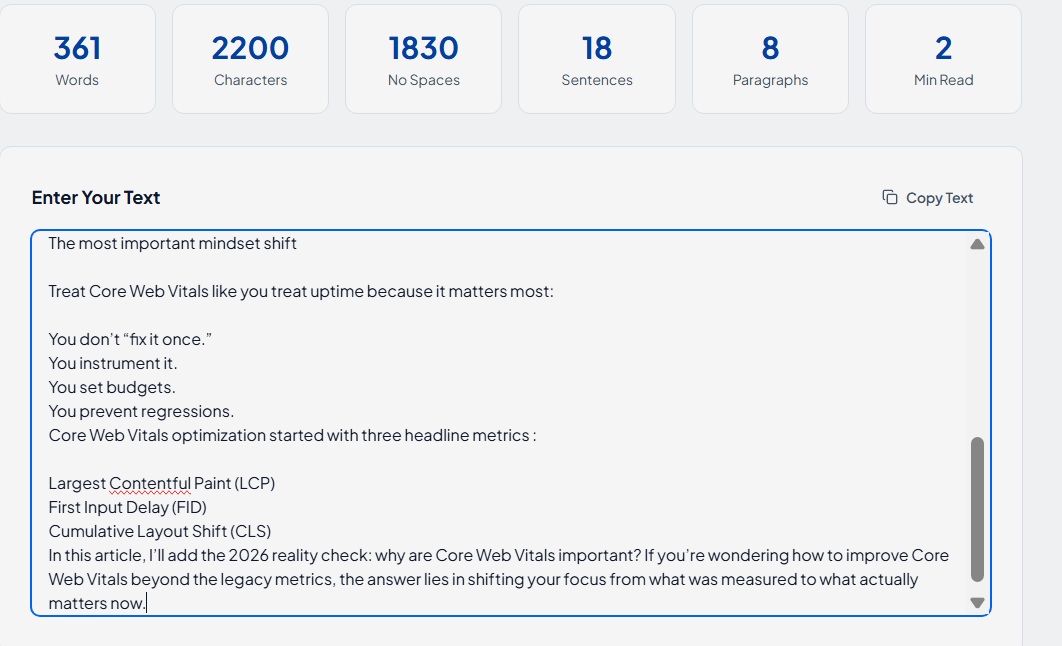
Paste your content in the text box and see the results appear in 6 six boxes on screen.
KEY FEATURES AND CAPABILITIES
Rext AI Word Counter provides six live counters: Words, characters, characters without spaces, sentences, paragraphs, and reading time, all updating as you type.
No submit button: The numbers move with you, like you can watch a sentence push you over a limit while you're still writing it.
Handles pasted formatting: Paste from Docs, Word, or a CMS and the formatting is stripped automatically.
Reading time estimates: Defaults to 200 words per minute, adjustable if your audience reads faster or slower.
Readability signals: Total sentences, characters, words, and reading time appear on screen for your guidance.
Runs in your browser. Nothing is uploaded, nothing is stored. Unpublished drafts and confidential client work stay on your machine.
No character cap: Paste 200 words or 20,000. It's free, and there's no limit.