
01 Example 1
How WordPress Staging Keeps Your Live Site Safe
- In this guide, we’ll walk through what staging actually does, how to set it up, and how to avoid the mistakes that quietly ruin most staging setups.
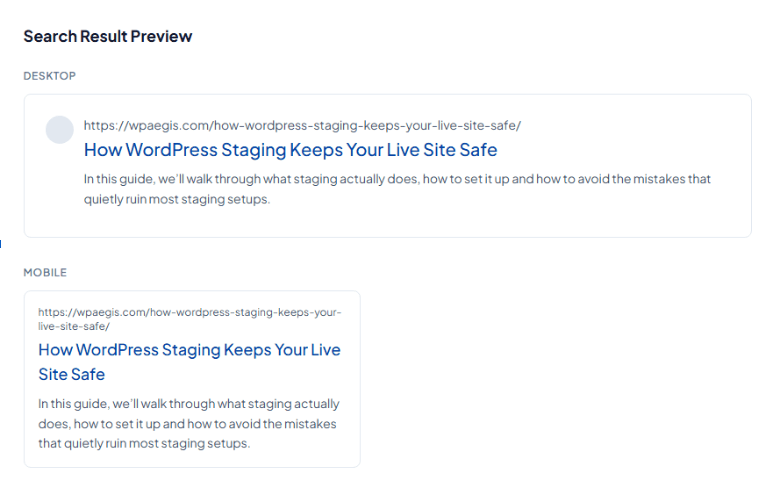
The basics:
Google doesn't measure titles in characters. It measures them in pixels, roughly 580 on desktop, which is why a title full of narrow letters survives where one full of capitals and wide letters gets clipped. A SERP preview can't stop that, but a clear, accurate, well-scoped title makes the substitution far less likely. Vague titles and keyword-stuffed ones get overwritten most often.
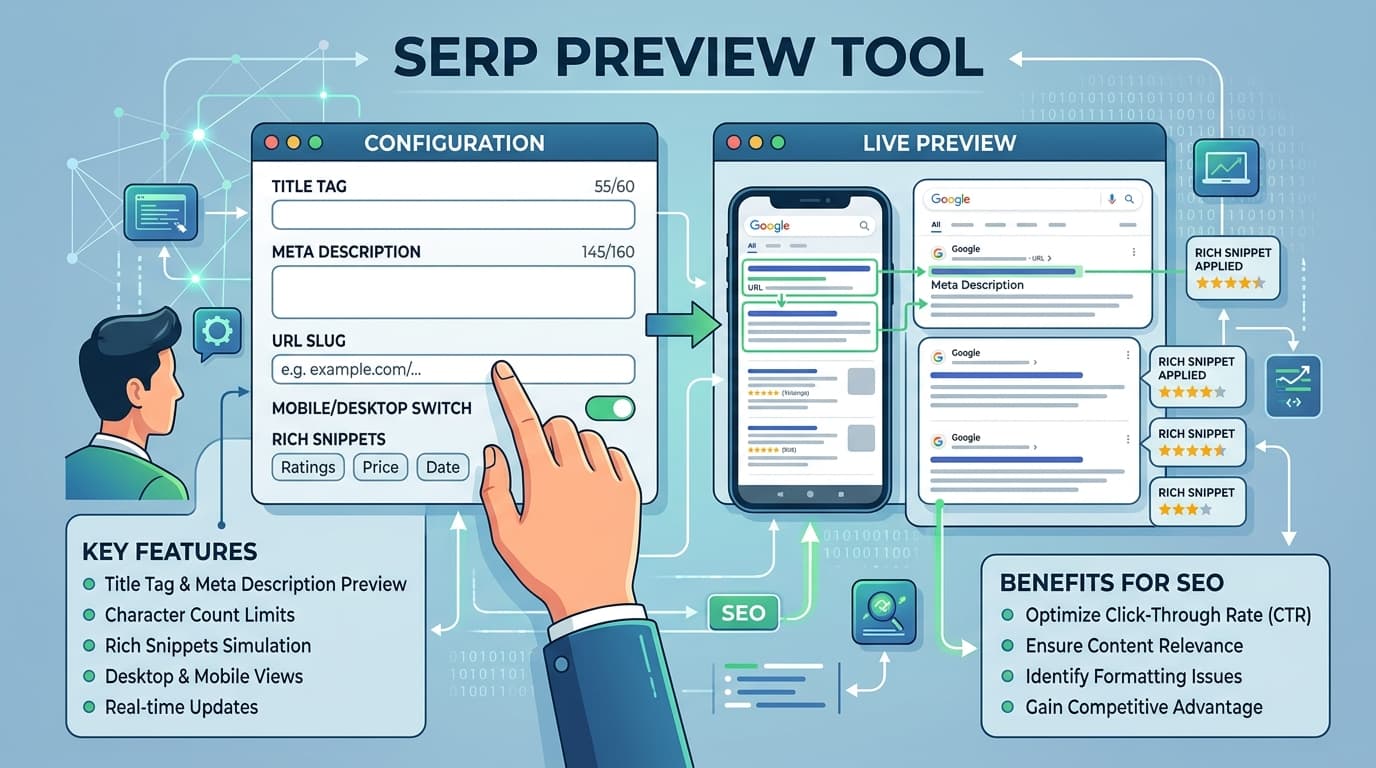
A SERP preview tool shows you a mock-up of your Google search result before that result exists. You type in a title, a URL, and a meta description, and the tool renders them the way Google would: same font, same line width, same cut-off point.
Rext AI free SERP preview tool provides you clear directions of how your title and description looks in results. If your description is too long or too short check out Rext AI’s free meta description writer that satisfies your description need.
How it works:
Type it or paste it from your CMS in the Rext AI SERP preview tool, and the counter updates live. Watch the desktop preview as you go, and pay attention to where the text lands rather than just what the number says.
Full URL with the protocol. The preview turns it into the breadcrumb path Google displays, so you'll spot ugly slugs and stray parameters right away.
Treat it as ad copy, not a summary. Say what the reader gets and give them one reason to choose you over the four results around you.
This is the step most people skip because mobile snippets are narrower, so a title that sits comfortably on desktop can lose its last three words on a phone. If most of your traffic is mobile, make that tab your default check.
Cut filler words first. "Ultimate," "complete," "everything you need to know" none of them earn their space. Front-load the keyword, push the brand name to the end.
Paste into WordPress, Shopify, Webflow, or whichever SEO plugin you use. Then run the same check again after publishing, because some themes append the site name automatically and blow past the limit without telling you.
Examples
01 Example 1
Features
Both layouts update as you type. No refresh, no submit button, no guessing which one matters more.
The preview cuts text where Google cuts it, not at an arbitrary character count.
Colour-coded so you can see at a glance whether you're safe, close, or over.
The tool runs client-side. Unpublished titles for client projects stay on your machine.
Check one snippet or a hundred. There's no signup wall and no daily cap.
Useful when you're reviewing a page on the move and want a second opinion before approving it.
Somewhere between 50 and 60 characters for most pages because Google actually measures pixel width around 580 on desktop, so a title in wide capital letters may get trimmed at 52 characters while a lowercase one survives to 62. Use the preview rather than the number.
Often, but not always. Google reserves the right to rewrite both, and it does so regularly, usually when a title is vague, stuffed with keywords, duplicated across pages, or a poor match for the search query. Clear and accurate titles get replaced far less often.
Not directly. It affects click-through rate, and a result people choose tends to keep performing well. So the influence is real; it just isn't a ranking factor in the way a title tag is.
Yes. Paste the existing title and description from your CMS or from the page source, and you'll see exactly what's being displayed and what's being cut.
No. The tool is free and unmetered, and it doesn't require an account.
No. Everything runs locally in your browser, so nothing reaches our servers.
Join 500+ teams using Rext AI to publish high-quality, Human-like content at scale.
Try Rext AI